Home
How It Works
Features
Resources
Testimonials
FAQs
Uninstall
Compliance
Contact Support
Sign Up
(801) 857-2368
24/7 Customer Support
Thank You for Downloading MyCleanPC!
Follow these simple steps to complete your installation and optimize your PC.
If your download did not start automatically, please
click
here.
Step 1
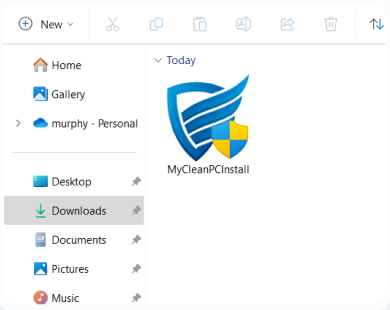
Run the MyCleanPC™ installer
Click the downloaded
"MyCleanPCInstall.exe"
file to install it.
Step 2
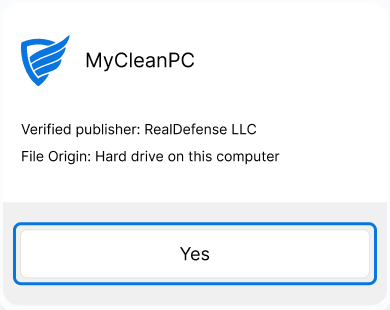
Confirm the installation
Select
"Yes"
from the system dialog box to confirm the installation.
Step 3
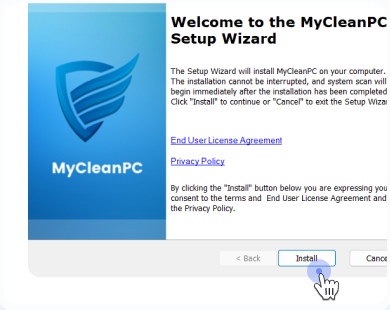
Follow the setup instructions
Click
"Install"
when the installer opens to begin the installation.
Upgrade to unlock advanced features and full optimization.
Explore Software Packages
You've downloaded the free version of MyCleanPC. Unlock full access to powerful tools for a faster, smoother, and fully optimized PC experience.
↑
Here is the file you need to click to install MyCleanPC™